How to Remove Air Conditioner Noise from Audio
AC hum is steady, so it lowers well after recording. How to do it in Audacity, Audition, or with a free 30-second preview, plus what to do when the unit switches on mid-sentence.
Air conditioner noise is steady, so it is one of the easiest sounds to lower after recording; the hard part is the moment the unit starts or stops. A constant AC hum is exactly what noise removers are built for. The jump in sound when the compressor kicks in halfway through a sentence is not.
So you can keep the AC on in summer and fix the hum afterward. To check your own file, upload it to the EraseNoise fan and AC noise remover and compare a free 30-second preview with the original.
Key Takeaways
- AC noise is steady and broadband, like a fan, so both classic noise profiles and speech models lower it well.
- On our air conditioner sample, DNSMOS background went from 3.70 to 4.20 out of 5 and voice naturalness from 3.48 to 4.55, one of the best results in our library.
- The parts that need editing are the changes: the compressor starting, stopping, or the fan changing speed during a sentence.
- You don't need silence. At 80% strength the room was about 14 dB quieter, and the voice kept a natural sense of space.
What you'll hear
| Sound | Steady or changing | Can you lower it afterward? |
|---|---|---|
| Air rushing from the vents | Steady | Yes |
| Fan motor hum | Steady | Yes |
| Compressor starting or stopping | A thump, then a change in the hum | The hum yes. The moment of change is worth cutting around |
| Fan speed changing | A slow rise or fall | Mostly, but the noise print no longer matches |
| Rattle or clicking from the unit or vents | Irregular | Partly |
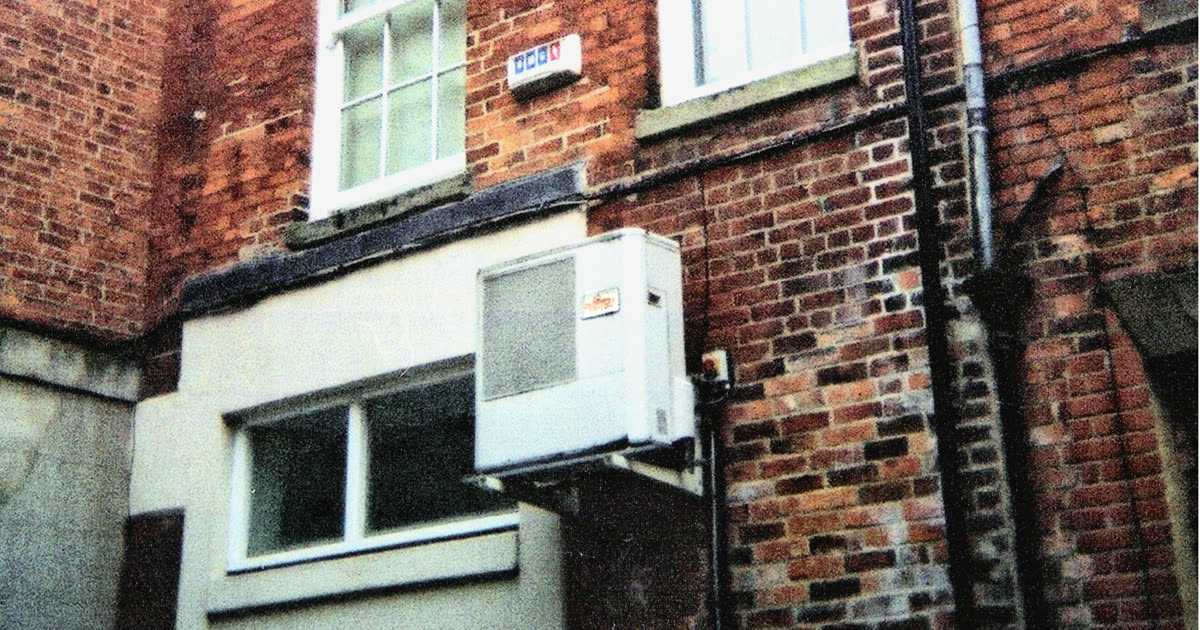
Photo: Snow storm in Eastern Asia at en.wikipedia, public domain, via Wikimedia Commons.
Why AC noise lowers well, and when it doesn't
AC noise lowers well because it doesn't change. A classic noise reducer learns a sample of the noise and subtracts it from the whole recording. A speech model learns what voices sound like and keeps those. Both work best when the noise is the same from start to finish, which is what a running AC is.
It stops working as well when the noise changes. A noise print taken while only the fan was running won't match the sound after the compressor starts. Adobe says it plainly for Audition: a noise print of one kind of noise won't do well removing a different kind (Adobe Audition noise reduction effects, retrieved 2026-10-26). A speech model handles the change better, but the instant of the thump still leaks through.
Fixing a recording you already have
In Audacity (free)
- Find a second or two where only the AC is audible, with no speech, and select it.
- Open Effect > Noise Removal and Repair > Noise Reduction and click Get Noise Profile.
- Select the whole recording, open Noise Reduction again, and start at the defaults: 6 dB of reduction, sensitivity 6.00, frequency smoothing 6 bands (Audacity Manual, retrieved 2026-10-26).
- Preview, then raise the reduction only until the hum stops pulling attention.
- If the AC changed partway through, take a second profile from after the change and process that part separately.
The Audacity noise removal guide covers each setting.
In Adobe Audition
Capture a noise print from an AC-only stretch with Effects > Noise Reduction/Restoration > Capture Noise Print, then apply Noise Reduction (process) to the clip. For noise that changes over the recording, Audition's Adaptive Noise Reduction adjusts as it goes. See our Adobe Audition guide.
With EraseNoise
- Upload the file to the fan and AC noise remover. Audio can be MP3, WAV, M4A, AAC, OGG, Opus, or FLAC; videos go through the video noise remover, which keeps the picture as it is.
- Play the free 30-second preview. You don't need an AC-only stretch or a noise profile, and 3 previews a day need no account.
- Lower the strength if you'd like a little room left. Strength mixes the original back in.
- Download the WAV or MP4. Full files use paid minutes; uploads are deleted after 24 hours.
Hear it
A real air conditioner recording from the Microsoft DNS Challenge test set, original, at two strengths, and fully cleaned:
Original
50% strength
80% strength
100% strength
At full strength, DNSMOS background went from 3.70 to 4.20, overall quality from 2.99 to 3.37, and NISQA naturalness from 3.48 to 4.55. Measured with ffmpeg, the quietest moment of the original sat at −54 dB; at 50% strength it was −60 dB, at 80% −68 dB, and at 100% it was silence. Our [ambient noise guide](/blog/remove-ambient-noise-from-audio) explains why we'd stop around 80%.Which fix to use
| Job | Better first workflow |
|---|---|
| Steady AC hum, with a quiet stretch to sample | Audacity or Audition noise print |
| No pause without talking | EraseNoise: no profile needed |
| The AC changed speed or switched on mid-recording | EraseNoise, or two separate noise prints in Audacity |
| A thump when the compressor starts | Cut around it, or re-record the sentence |
Common mistakes
- Taking the noise print before the AC was on. Sample the noise you want to remove, at the same fan speed.
- Removing it down to silence. The voice starts to sound like it's in a vacuum. Leave a little room.
- Forgetting the echo. A hard-walled room with AC often rings too. Noise removal won't fix reflections.
What you can't fix
- The compressor kicking in on a word. Lower the hum on either side, but that instant usually needs a cut or a re-take.
- Rattles from a loose vent or the unit itself. They're irregular, so they behave more like knocks than hum.
- An AC louder than the voice. If the words are hard to follow in the original, there isn't enough voice left to keep.
Next time: free ways to prevent it
- Turn the AC off for the take, and back on between takes. Cool the room first.
- Set the fan to its lowest speed and keep it fixed. Auto mode changes speed, and the noise changes with it.
- Point the mic away from the vents. Aim the back of the mic at the unit and keep air from blowing on the capsule.
- Record 10 seconds of room tone. It's a clean noise profile for Audacity and filler for gaps.
- Keep the mic close. Halving the distance to your mouth makes your voice about 6 dB louder against the AC.
Next step
A desk fan or PC fan rather than AC? Use the fan noise remover, which handles both. If the room rings, the echo remover is the right tool, not more noise reduction. For the full list of home-studio problems, see our YouTube audio quality guide.
Ready to try your own recording? Upload it to the EraseNoise fan and AC noise remover and hear 30 seconds free.
Frequently asked questions
How do I remove AC hum from a recording?
Take a noise print from a stretch with only the AC in Audacity or Audition and apply Noise Reduction to the whole file, or upload it to a speech noise remover that needs no profile. AC hum is steady, so either approach works well.
Should I turn off the AC when recording?
If you can, yes: it's the simplest fix. If the room gets too hot, set the fan to a fixed low speed, point the mic away from the vents, and clean the steady hum afterward.
Is AC noise the same as fan noise?
Mostly. Both are steady air and motor noise and are removed the same way. The difference is the compressor in an air conditioner, which switches on and off and changes the sound when it does.
Why does the noise come back halfway through my recording?
The AC changed: the compressor started or the fan changed speed. A noise print from before the change won't match the sound after it. Take a second print, or use a speech model that doesn't rely on one.
Sources
- Audacity Team, Audacity Manual: Noise Reduction, retrieved 2026-10-26.
- Adobe, Noise reduction and restoration effects in Audition, retrieved 2026-10-26.
- Microsoft, DNS Challenge test set, source of the air conditioner recording, retrieved 2026-10-26.
- FFmpeg, astats filter documentation, used for the noise-floor measurements, retrieved 2026-10-26.