How to Remove Keyboard and Mouse Clicks from a Screen Recording
Typing between sentences is easy to cut; typing under a word is hard for every noise remover, including ours. Measured results, the edits that work, and how to stop it next time.
Keyboard clicks between your sentences are easy to cut, but clicks that land on a word are hard for any noise remover, so the reliable fix is a noise gate while you record. Mouse clicks are the easier half: they're short and usually fall between words.
We'll be upfront, because it's the point of this article: on our own keyboard sample, EraseNoise barely helped. Overall quality went from 2.63 to 2.70 out of 5. If your recording has typing between sentences, the EraseNoise background noise remover and a few cuts in your editor will handle it, and the free 30-second preview shows you quickly. If you type while you talk, read on for what does work.
Key Takeaways
- Clicks between words can be cut or silenced in any editor. Clicks under words can't be removed cleanly by any tool, because the click and the voice share the same moment and the same frequencies.
- On our test recordings, mouse clicks cleaned up well (DNSMOS overall 3.13 to 3.43, voice naturalness 2.72 to 4.04). Typing over speech didn't (2.63 to 2.70, naturalness 2.14 to 2.04).
- The fix that works is upstream: a noise gate in OBS, a mic aimed away from the keyboard, and not typing while you talk.
What you'll hear
| Sound | When it happens | Can you remove it afterward? |
|---|---|---|
| Typing between sentences | In the pauses | Yes: cut it, silence it, or let a gate or noise remover drop it |
| Typing while you talk | Under the words | Not cleanly. Expect the click or a dent in the word to stay |
| Mouse clicks | Short, usually between words | Yes, mostly |
| Desk thumps from typing | Low knocks through the mic stand | Partly. A shock mount prevents them |
| Mechanical switch pings and spacebar rattle | Bright, sharp | Same as typing: fine in pauses, hard under words |
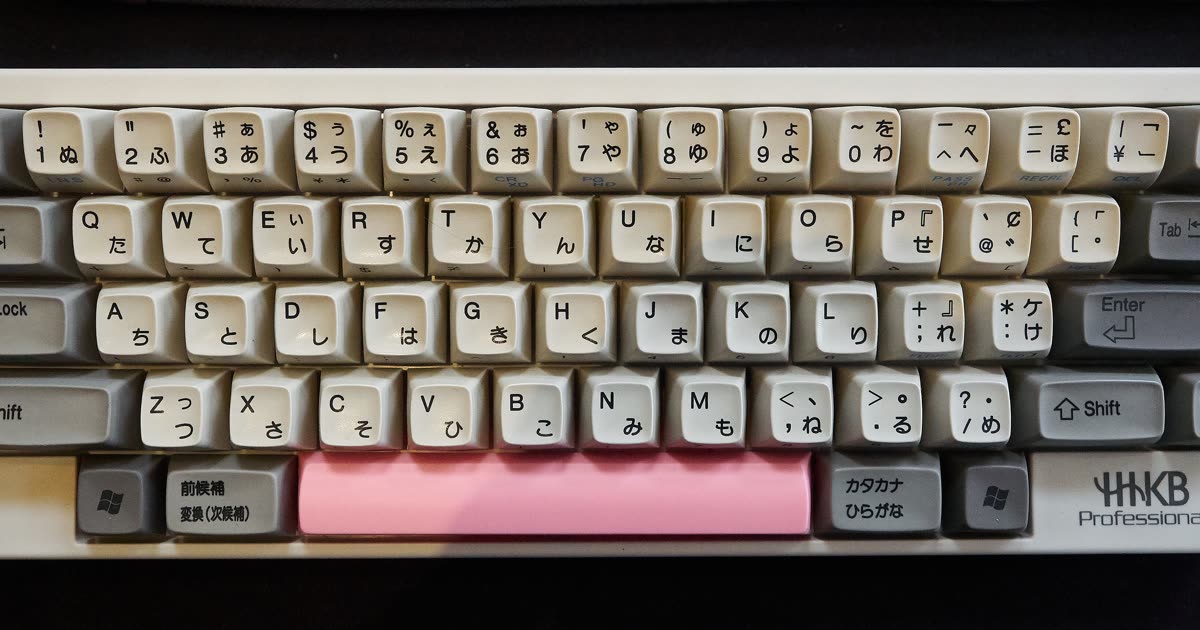
Photo: Patrick Breen, CC BY 2.0, via Wikimedia Commons.
Why it's hard to remove
A key click is short, loud, and broadband: it covers low thumps to bright high frequencies in a few milliseconds. Noise removers are best at steady sounds, where they can learn the noise and subtract it over time. A click is over before there's anything to learn, and while you're speaking, it sits in the same frequencies as your consonants.
Our sample library has both cases, scored with DNSMOS (1 to 5) and NISQA voice naturalness (1 to 5), with no hand edits:| Recording | DNSMOS overall | DNSMOS background | NISQA naturalness |
|---|---|---|---|
| Keyboard typing, before → after | 2.63 → 2.70 | 3.83 → 3.87 | 2.14 → 2.04 |
| Mouse clicks, before → after | 3.13 → 3.43 | 3.94 → 4.22 | 2.72 → 4.04 |
In the typing sample, the pauses between words were already near silent (about −86 dB in quarter-second windows); the clicks were on top of the voice. There was little for any tool to take away without taking part of the voice with it, and naturalness actually dipped. In the mouse sample, the clicks sat in the gaps, and the pauses went from about −51 dB to silence.
Keyboard typing, original
Keyboard typing, cleaned
Mouse clicks, original
Mouse clicks, cleaned
All the samples and their scores are on the noise removal examples page, including the ones that didn't go well.
Fixing a recording you already have
Step 1: Cut or silence the clicks between sentences
This is manual, but it's the step that works every time.
- Open the audio, or the video's audio track, in your editor and zoom in until you can see individual clicks as spikes in the gaps.
- In Audacity: select a burst of typing in a pause and choose Edit > Remove Special > Silence Audio (Ctrl+L on Windows, Cmd+L on Mac). The length stays the same, so a video stays in sync.
- In a video editor: cut the burst out of the audio and leave a gap, or lower its volume to zero with keyframes. Don't ripple-delete, or the picture and sound drift apart.
- If silence sounds too abrupt, paste in a second of room tone from elsewhere in the recording instead.
Step 2: Clean what's left
After the gaps are handled, the remaining problem is usually the room: a computer fan, AC, or hum under the whole recording. That part cleans up well.
- Upload the file to the background noise remover, or a screen recording to the video noise remover. The picture isn't re-encoded.
- Play the free 30-second preview. No account is needed for 3 previews a day.
- Listen to the words that had typing under them. If they sound dented or watery, lower the strength.
- Download a WAV or MP4. Full files use paid minutes; uploads are deleted after 24 hours.
Which fix to use
| Job | Better first workflow |
|---|---|
| Typing only in the pauses | Silence it in your editor, or run a noise remover |
| Mouse clicks between words | A noise remover. Our sample went from 3.13 to 3.43 |
| Typing under the words | Leave it, or re-record those lines as voiceover |
| Fan or hum under everything | A noise remover, after the cuts |
Common mistakes
- Expecting a "remove keyboard" button to fix typing over speech. Nothing removes it cleanly. Judge the words, not the clicks.
- Ripple-deleting clicks in a video. It shortens the audio and throws it out of sync. Silence instead of delete.
- Maxing the strength to chase the last click. It costs more voice than it removes keyboard.
What you can't fix
- A click on a consonant. Removing it removes the consonant.
- Continuous typing through a whole explanation. Re-record the narration while the screen recording plays back, and lay it under the picture.
- Desk thumps that shook the mic. They're vibration in the mic itself. A shock mount or a boom arm prevents them.
Next time: free ways to prevent it
- Add a noise gate in OBS. A gate mutes the mic when you're not talking, so typing in the pauses never gets recorded. In OBS, add a Noise Gate filter to your mic below Noise Suppression. The defaults are a close threshold of −32 dB and an open threshold of −26 dB (OBS Noise Gate Filter, retrieved 2026-10-26); set the close threshold above the typing level and the open threshold just below your voice. Full steps are in our OBS noise guide.
- Point the mic away from the keyboard. A cardioid mic hears least from directly behind it. Aim the back of the mic at the keyboard, and keep it closer to your mouth than to your hands.
- Pause while you type. Say the sentence, type, then speak again. It also makes tutorials easier to follow.
- Use quieter switches or a desk mat. Linear or silent switches and a thick mat cut both the click and the thump.
- Use push to talk on live calls. In Discord, Push to Talk sends nothing until you hold the key. See our Discord noise guide.
Next step
Keyboard noise is one of four common problems in a talking-head or tutorial video, along with echo, fans, and uneven volume. Our YouTube audio quality guide covers all four and the order to fix them in.
To check a recording now, upload it to the EraseNoise background noise remover and listen to the words that had typing under them in the free 30-second preview.
Frequently asked questions
Can you remove typing sounds from a recording?
Typing between sentences, yes: silence it in your editor or let a noise remover drop it. Typing under your words, not cleanly. On our own test recording, overall quality only went from 2.63 to 2.70 out of 5.
How do I stop my mic from picking up my keyboard?
Add a noise gate so the mic mutes between sentences, aim the back of a cardioid mic at the keyboard, keep the mic closer to your mouth than to your hands, and pause while you type.
Does Discord or OBS remove keyboard noise?
Partly. OBS's Noise Gate mutes typing in the pauses, and Noise Suppression lowers some of it. Discord's Krisp filters non-voice noise, and Push to Talk sends nothing while you aren't holding the key. None of them removes typing that happens while you talk.
Why do my words sound dented after removing keyboard noise?
The tool removed the click and part of the word with it, because they happened at the same moment. Lower the strength, or leave those clicks in. A faint click is less distracting than a missing syllable.
Sources
- OBS Project, Noise Gate Filter, retrieved 2026-10-26.
- Discord, Krisp FAQ, retrieved 2026-10-26.
- Audacity Team, Audacity Manual: Edit Menu, Remove Special, retrieved 2026-10-26.
- Microsoft, DNS Challenge test set, source of the typing and mouse recordings, retrieved 2026-10-26.




















.jpg)