How to Remove Car Noise from a Driving Vlog
Lower road, engine, and AC noise in a driving vlog without a muffled voice. Measured before/after audio, why a high-pass filter isn't enough, and a free 30-second preview.
Road and engine noise is a low, steady rumble, so it lowers well, but it overlaps the low part of a voice, so a cleanup that goes too far makes the speaker sound muffled. The fix is to remove most of the car, not all of it, and to stop as soon as the voice starts losing its weight.
To hear where that point is for your own clip, upload it to the EraseNoise video noise remover and play the free 30-second preview against the original. The picture isn't re-encoded. Then turn the strength down a step and listen again.
Key Takeaways
- Car noise isn't only low rumble. Tyre and suspension noise sits low, but airborne road noise dominates above about 400 Hz, right in the range of speech.
- In our test recording, a high-pass filter at 100 Hz or even 200 Hz left the pauses almost exactly as loud (−29.5 dB to −29.7 dB). A speech model took the same pauses to near silence.
- At 80% strength, the car stayed audible about 14 dB below the original, and the voice kept more of its body than at 100%.
- What you can't fix afterward: open-window wind, a horn on top of a word, and a mic that touched the windshield or dashboard.
What you'll hear in a car recording
| Sound | Steady or sudden | Can you lower it afterward? |
|---|---|---|
| Tyre and road roar | Steady, changes with speed and surface | Yes, mostly |
| Engine hum | Steady, rises with revs | Yes |
| AC or heater fan | Steady | Yes, it's the easiest part |
| Turn signal ticks | Short, regular clicks | Partly. Clicks between words can stay faintly |
| Wind from an open window | Gusty, low thumps | Light wind yes, overloaded gusts no |
| Horns, sirens, passing trucks | Sudden and loud | Not when they land on a word |
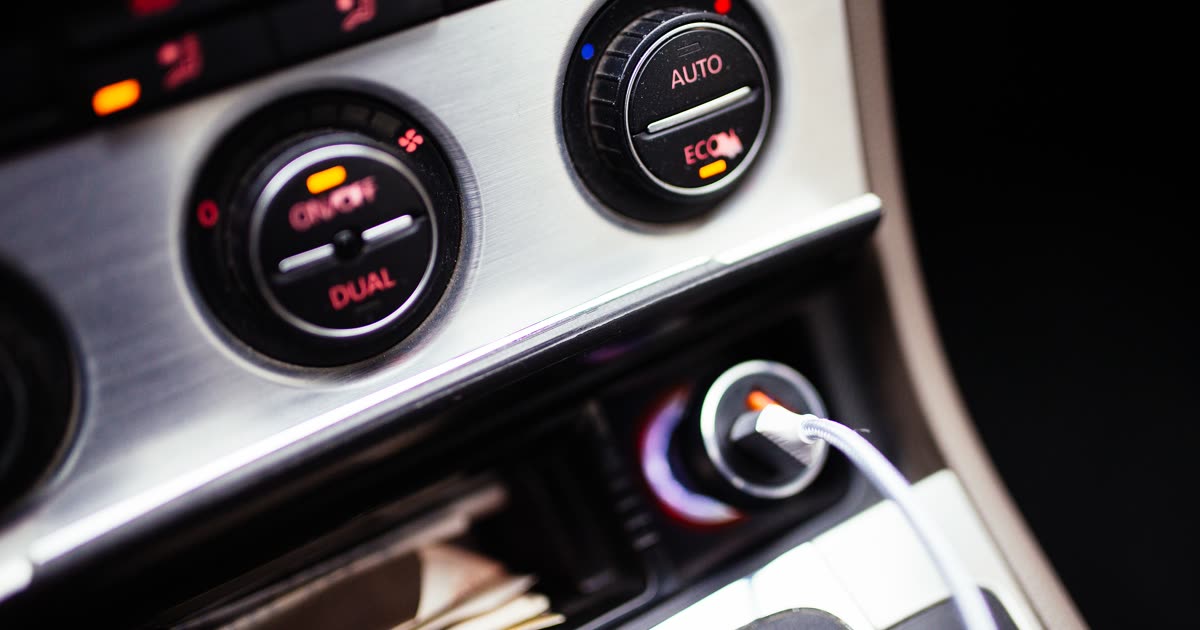
Photo: Shixart1985, CC BY 2.0, via Wikimedia Commons.
Why car noise and a deep voice overlap
Car noise covers more of the voice range than people expect. The part that comes through the tyres and suspension sits low, below a few hundred hertz, and research on road noise models it from about 1 to 200 Hz (SAE 2001-01-1528, retrieved 2026-10-26). Above about 400 Hz, airborne noise from the tyres and the road takes over (SAE 951327, retrieved 2026-10-26).
A voice lives in the same place. The fundamental of a typical adult male voice is around 90 to 155 Hz, and a typical adult female voice around 165 to 255 Hz (Voice frequency, Wikipedia, retrieved 2026-10-26). Everything above that, the harmonics and consonants, sits on top of the airborne road noise.
So there's no frequency where you can cut the car without also cutting some of the voice. That's why EQ alone rarely fixes it, and why pushing a noise remover all the way makes a deep voice lose its body first.
Fixing a clip you already shot
First try: a high-pass filter in your editor
A high-pass filter removes everything below a frequency you choose. It's free in every editor: in Audacity it's under Effect > EQ and Filters > High-Pass Filter, and in Premiere Pro it's the Highpass audio effect. Start at 80 Hz, and don't go much above 100 Hz on a male voice.
It helps with deep rumble, such as an idling diesel or a truck on a motorway. On our test recording it did almost nothing. We measured the quietest fifth of the recording, the pauses between words, in quarter-second windows with ffmpeg's astats filter:
| Version | Level in the pauses |
|---|---|
| Original | −29.5 dB |
| High-pass at 100 Hz | −29.7 dB |
| High-pass at 200 Hz | −29.7 dB |
| EraseNoise at 80% strength | −43.5 dB |
| EraseNoise at 100% strength | −87.9 dB |
The recording is the "car close by" sample from the Microsoft DNS Challenge test set, a voice with a car running near the mic. It isn't a recording from inside a moving car, but it shows the same problem: the noise reached well above 200 Hz, so a filter that only removes the low end left it nearly untouched.
Then: a speech model with the strength turned down
- Upload the video to the video noise remover: MP4, MOV, M4V, or WebM up to 2 GB. For an audio file, use the background noise remover.
- Play the free 30-second preview. It picks the stretch of the first ten minutes where sound is most continuous, so you'll likely hear the car at speed. You get 3 previews a day without an account.
- Listen to the voice, not the car. If it sounds thin or muffled, lower the strength. Strength mixes the original back in, so 80% keeps a fifth of the car.
- Download the MP4. H.264 and HEVC pictures are copied, so only the sound changes. Full files use paid minutes, and uploads are deleted after 24 hours.
Hear it
Original
80% strength
100% strength
At full strength, the DNSMOS background score went from 1.97 to 4.11 out of 5 and overall quality from 2.13 to 3.35. NISQA voice naturalness rose from 1.69 to 3.07, which is better but still only middling: some of the voice's body went with the car. That's the case for 80%. All of our samples, with scores, are on the noise removal examples page.
Which fix to use
| Job | Better first workflow |
|---|---|
| Deep idle rumble, voice otherwise clear | High-pass filter in your editor at 80–100 Hz |
| Road roar at speed under the whole clip | EraseNoise, strength around 80% |
| AC fan in the car | Either. The fan is the easiest part to lower |
| A horn on one sentence | Cut the sentence or re-record it as voiceover |
Common mistakes
- Maxing the strength. The last 20% takes the car to silence, and with it some of the voice's low end. Compare 80% and 100% before you download.
- Stacking a high-pass on top of the cleanup. After a speech model has removed the rumble, an extra high-pass mostly thins the voice.
- Judging on phone speakers. They can't play the low end, so the voice sounds fine there and muffled on headphones. Check on headphones.
What you can't fix
- Open-window wind. Gusts hitting the mic make low thumps that can overload it. Light wind lowers well; an overloaded mic can't be restored. See the wind noise remover.
- A horn or siren on top of a word. Any tool that removes it takes part of the word with it.
- Handling and rattle noise. A phone shaking in a vent mount, or a mic rubbing against a seatbelt, is mechanical noise on the mic itself.
- A voice quieter than the car. If you strain to make out words in the original, there isn't enough voice to keep.
Next time: free ways to prevent it
- Turn off the AC or fan for the take. It's the loudest steady noise you control.
- Close the windows. An open window adds wind and doubles the road noise.
- Clip the mic to your collar, not the windshield. A mic near your mouth hears you louder than the car. A phone on the windshield is closer to the road than to you, and the glass carries vibration.
- Use your wireless mic's noise cancelling if it has one. On a DJI Mic, one or two presses of the transmitter's power button turns it on, depending on the model. Our DJI Mic noise cancellation guide covers which models have it and what it misses.
- Talk on smooth roads. Coarse asphalt and concrete joints are louder than fresh tarmac. Save the commentary for the quiet stretch.
Next step
If the cleaned voice now sounds quiet, set it to a normal level with the free increase video volume tool, which raises the soundtrack without touching the picture. For other vlog scenes, like the street, a cafe, or wind, see the vlogger's guide to clean audio.
Ready to try your own drive? Upload it to the EraseNoise video noise remover, hear 30 seconds free, and keep the strength where your voice still sounds like you.
Frequently asked questions
How do I get rid of road noise in a video?
Upload the video to a speech noise remover and compare a short preview with the original. Keep the strength around 80% so the voice keeps its weight. A high-pass filter only helps with deep rumble below about 100 Hz.
Where should I put the mic for a car vlog?
On your collar or chest, a hand's width from your mouth. Avoid the windshield and the dashboard: they're closer to the road than to you, and glass and plastic carry vibration into the mic.
Why does my voice sound muffled after removing car noise?
The cleanup removed part of the voice along with the car, because both sit in the same frequency range. Lower the strength or the reduction amount until the voice has its body back, and accept a little road noise underneath.
Can I remove car noise for free?
Partly. A high-pass filter in Audacity, CapCut, or any editor is free and lowers deep rumble. EraseNoise gives you a free 30-second preview of the full cleanup; the full file uses paid minutes.
Sources
- SAE International, Tire and Car Contribution and Interaction to Low Frequency Interior Noise (2001-01-1528), retrieved 2026-10-26.
- SAE International, Road Noise Modelling Using Statistical Energy Analysis Method (951327), retrieved 2026-10-26.
- Wikipedia, Voice frequency, retrieved 2026-10-26.
- Microsoft, DNS Challenge test set, source of the car recording, retrieved 2026-10-26.
- FFmpeg, astats filter documentation, used for the pause-level measurements, retrieved 2026-10-26.